Chat Widget
Add the following JavaScript code to the page where you need to display the chat box
window.AgentWeaveToken = "{User Token obtained through basic steps}";
window.AgentWeaveAgentId = "{The id of the agent that created the API key}";
// Choose one language based on your site: "en" or "zh-CN"
window.AgentWeaveLanguage = "en";


const script = document.createElement('script')
script.src = 'https://www.agentweave.ai/embed/loader.js'
script.async = true
document.head.appendChild(script)
- Wait for the JS file to load.
- An orange icon will appear in the lower right corner of the page
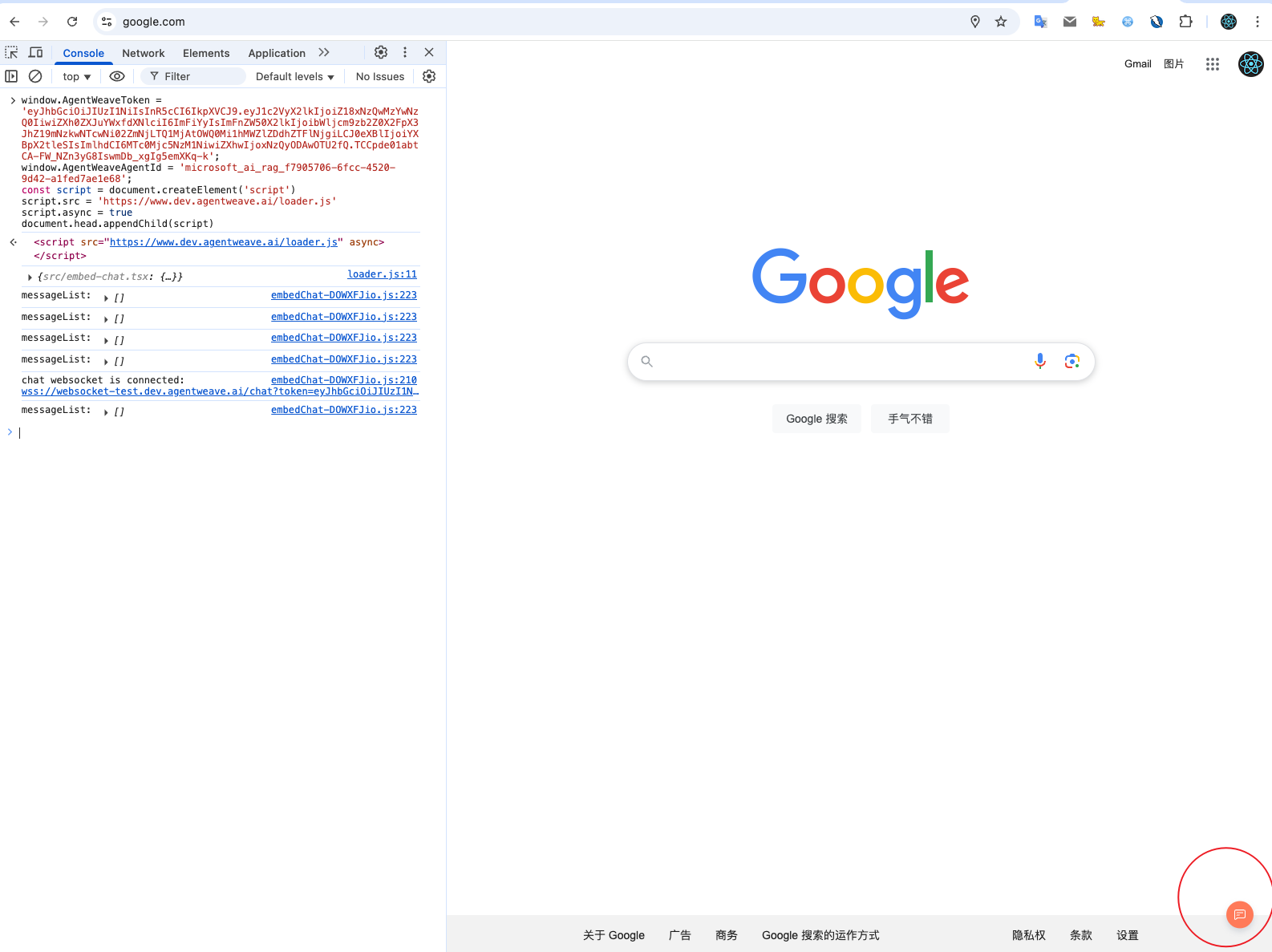
Click the orange icon to open the chat box
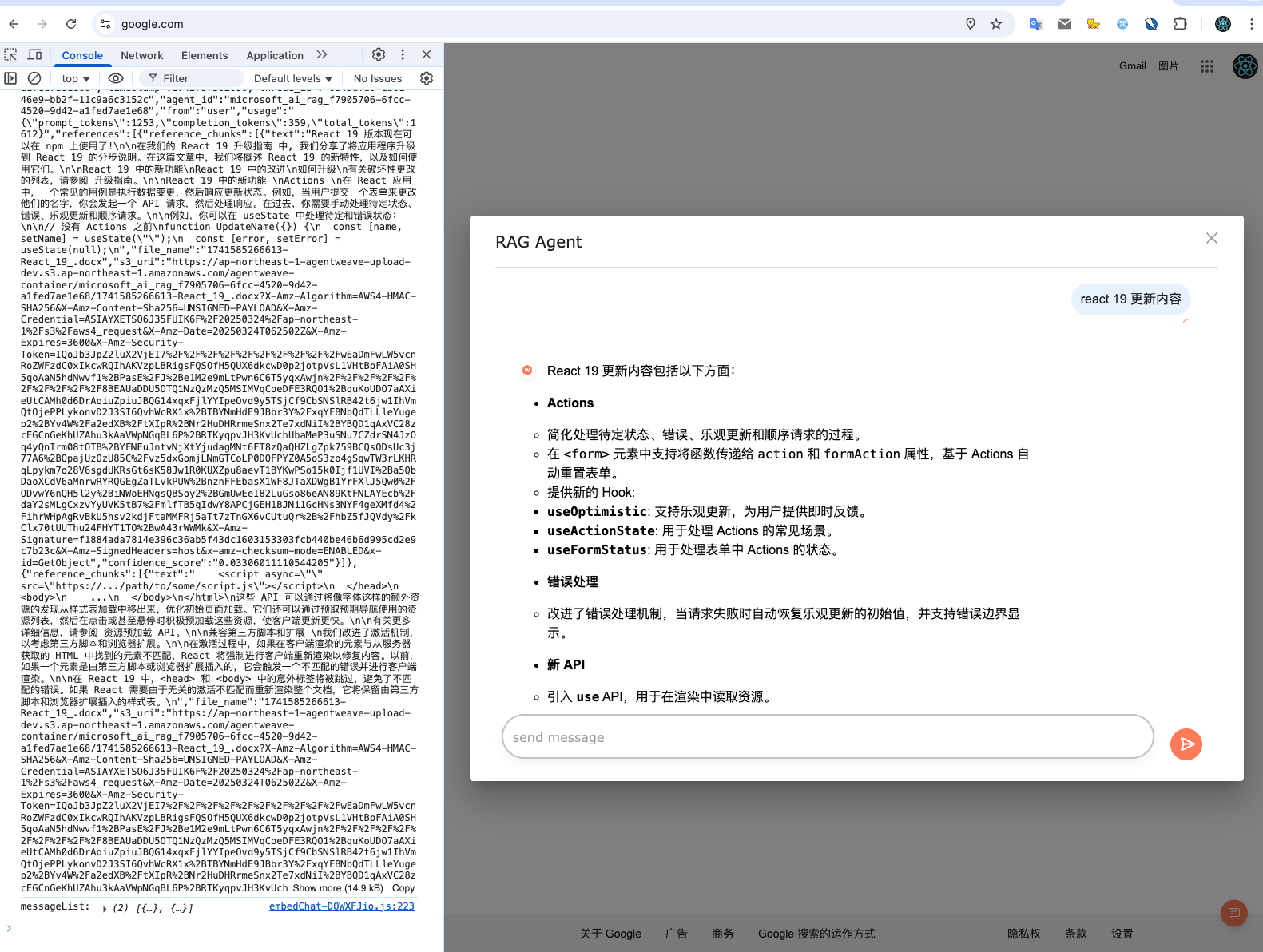
You can talk to the Agent through the chat box
After completing the above steps, your page will successfully integrate the AgentWeave chat function.
Exception handling
If the console displays the following error after executing the above code
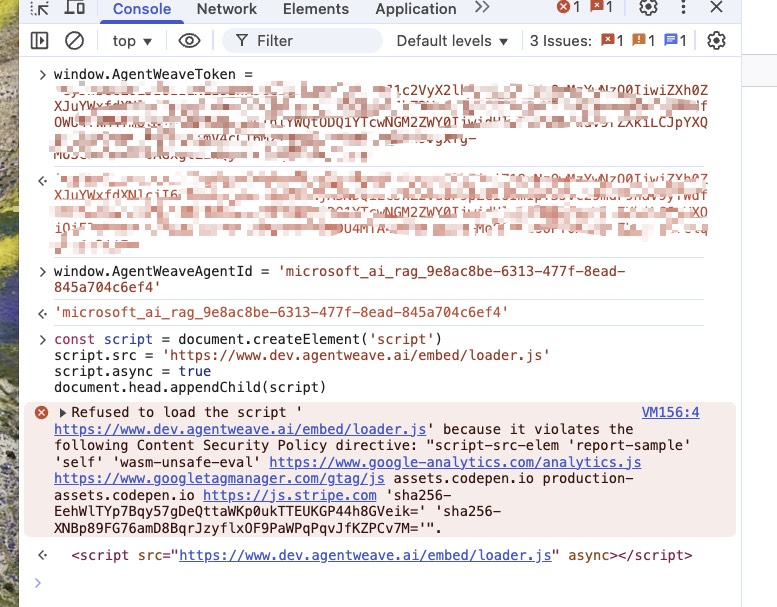
This indicates that the website has Content Security Policy (CSP) enabled
Website administrators are required to add the following code to the Content Security Policy (CSP)
script-src 'self' https://chat.example.com;